Remove Arrow
Rating
5
Orientation
Portrait
Release Date
2023-10-31
What is Remove Arrow
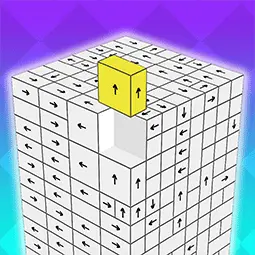
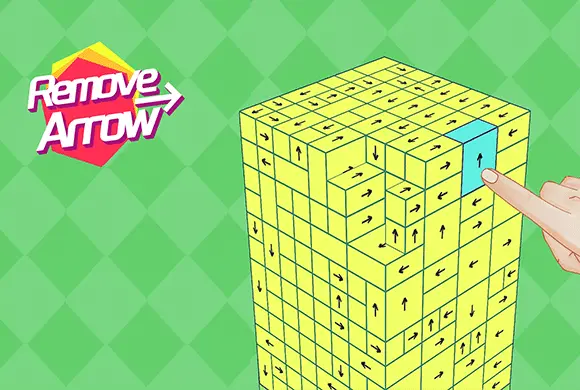
Remove Arrow is a captivating 3D puzzle game designed to test your spatial reasoning and strategic thinking. The core objective is simple yet profoundly engaging: clear a complex structure made of blocks by tapping them away. However, each block can only move in the specific direction indicated by the arrow on its face. If a block's path is obstructed by another, it remains stuck, requiring you to carefully plan the order of your moves. As you progress, the simple clusters evolve into massive, intricate cubes with hundreds of interlocking pieces, providing a satisfying "difficulty spike" that keeps your brain sharp. With clean, minimalist visuals and smooth rotation mechanics, Remove Arrow offers a Zen-like focus combined with a genuine mental workout. It's the perfect game for puzzle enthusiasts looking for a portable, instant-play challenge on any device.
Key Game Features
Intuitive Spatial Puzzles:Navigate complex 3D structures where every move counts. Success depends on your ability to visualize paths and understand how blocks interlock in a three-dimensional space for efficient clearing.
Escalating Difficulty Spikes:Start with small, manageable clusters and advance to massive cubes filled with hundreds of arrows. The game constantly introduces new layouts to keep the challenge fresh and rewarding.
Smooth 3D Rotation:Effortlessly rotate the entire puzzle 360 degrees to find hidden paths. This fluid control system ensures you can inspect the structure from every angle to plan your next move.
Strategic "Unlocking" Order:It's not just about tapping; it's about the sequence. Identify which blocks are free to move and which are blocked, creating a chain reaction that unravels the entire structure.
How to Play & Master
The goal is to remove all blocks from the screen. Tap on a block to send it flying in the direction of its arrow. If it hits another block, it stays. Rotate the structure to find blocks with clear exit paths.
Game Controls
Tap: Remove a block. Swipe: Rotate the 3D structure to view different sides. Icons: Use power-ups like "Direction Change" or "Bomb" to clear difficult sections.
Frequently Asked Questions (FAQ)
Q: Why won't some blocks move when I tap them?
A: A block is stuck if another block is in the way of its arrow's path. You need to remove the obstructing blocks first!
Q: Is there a time limit?
A: Yes, higher levels feature a countdown timer to test your speed and precision. Keep an eye on the clock at the top!
Q: What do the special icons at the bottom do?
A: These are power-ups! They can help you rotate arrows or clear groups of blocks when you find yourself in a tight spot.










 765.8K